Showing posts with label technology. Show all posts

Tuesday, November 17, 2015

How To Start a Makers' Club in Ten Days

Today I gave an "idea talk" at the WVIZ Ideastream conference. Unfortunately, I got the "wrap it up" signal long before I was close to done... Here's my speech with all "ten days." Not great writing, but I wrote as though I was speaking...

Hellooooooo.  My name is Morgan Kolis and I am a special education teacher, intervention specialist, behavior intervention specialist, reading specialist…Though, I am currently being disguised by my district as a reading intervention teacher.  This is my 13th year of teaching in Ohio and, I am also currently studying to take the Board exam to become a Board Certified Behavior Analyst.  My real passions, however, are special education and inclusive environments.

So, like I said, my district is currently utilizing me as a reading intervention teacher.  Reading intervention is important and crucial to students in elementary school and is… just not my dream job.  Again, there is nothing wrong with reading intervention. It’s just not what I believe I was made to be doing.

So, it was in this job as a reading intervention teacher that I have found my own need for more creativity and more fun in school.  You see, reading intervention is… well, a little dry.  Again, I truly believe that this is an important job and I’m sure there are people out there who love it. That’s just not, well, me.  By nature, doing interventions with kids is rote and repetitive and as engaging as we try to make it, it’s … a little lacking in creativity.

This is where the story really starts.

I started searching for something.  I wasn’t sure what that something was, but I knew something in my life was missing that used to be filled by my job as a special education teacher. And now it was gone.  

And in the way my life often works, there was some divine intervention and…I got an email.

I got an email from this guy named Sean Wheeler. Some of you might know him. He was the keynote here last year and he writes this great blog called Teaching Humans; and he’s now doing some incredible work at the Design Lab in Cleveland that everyone should be checking out immediately. I mean, after this talk, of course.

But I got this email from Sean.  At that time, Sean was working on starting a entire Makers’ School and got a grant to support that mission.  And Sean decided to ask a few educators he knew if we’d want to participate in a teacher makerspace to put ourselves in the place of our students, in order to remember what it feels like to be in a space where you’re not sure what you’re doing and you’re not quite sure what might come out of it.  He said “Let’s do a six week class where you learn to make some things and get to talk with other educators.”

Okay, I’ll bite.

Then he wrote “it’ll be a woodworking class at a woodshop.”

Huh.

Okay, I don’t know about you, but wood has not really ever been my preferred medium.  I’m more of a canvas, clay, scrapbooking, really great creative lesson planning kind of person.  But wood?

This was NOT my comfort zone.  I really do not engage in stuff I am not going to be great at.

I was really not sure about this, but, here I was, searching for something. And maybe this could help me find it.  

So, about ten people said they would join the six week class and we all met at this amazing community woodshop right outside of Tremont called Soulcraft. It’s in this old, creepy, factory like building where they used to do meat -packing called the Hildebrandt Building.  REALLY out of my comfort zone. And these two guys, the owners of this “community woodshop” offered to be our “teachers.”

So, we met there.  Some of us knew each other from twitter but had never actually spoken and some of us were total strangers.  Even more awkward and somewhat uncomfortable.

And there we sat on that first day at Soulcraft with all of these exhausted and inspiring and excited and terrified educators from all different districts and walks of life… educators like Tom Grodek and Julie Rea and Karen Wheeler and Jeremy Shorr and Vicki Turner, some of whom are even here today.

And then Peter and Jim, the owners of Soulcraft, started talking about the properties of wood.

And all I could think was “What in the hell am I doing here?”

So, long story short, it’s now been about 57 weeks since we started this six week course and about 5 of us make it back to the shop a few Saturdays a month to continue this experiment with “making” and talking. Lots of talking.

And I’ve gotten so much out of this experience that I was thinking, how can I bring this back to my own school?

And it was through this inspiration that I was able to start a “Makers’ Club” at our school where I currently teach… reading intervention.

So, during lunch time every Thursday and Friday, we host a Makers’ Club for the students at our school in second and third grade. And when I say “we,” I mean my awesome co-reading intervention teacher, Sharon Wiesler, who has graciously also given up her time to help me with this and has dealt with the great amount of “treasures” that we have collected for the club.  She really jumped in with both feet and I couldn’t possibly thank her enough for going with this...

And now I’d like to share with you How to Start a Makers’ Club in 10 days.

Day one.  Think.  What do you want your makerspace to be?

I knew immediately that I wanted our space to have very little structure.  Reading Intervention and special ed are VERY structured and I wanted a place that would be 100% opposite.

I also knew that I wanted to incorporate STEM activities, but I didn’t want the club to be solely based on STEM activities.  I wanted this space to be a place where kids make their own rules about what they create.

We have very few rules but we did need to set up a little bit of structure for second and third graders so they know what to expect.

First rule, you must share.  Second rule, be respectful.  Third rule, if you make a mess, you clean it up before you leave.  Last rule, be safe.  As the club has gone on, we’ve also made the rule that you may not create a weapon and if you do, it may not leave the room.


Day Two, get rid of your crap.  By crap, I don’t mean your physical crap.  I mean your own personal crap.  

Here’s an example of my crap: I was great at playing the game of school.  I could rock a test and loved to read.  But the other day, I was telling my friend about this “talk.”  And he says “Why are you worried? Have you ever failed at anything in your life?”  Okay, that’s exactly my “crap.”  I don’t typically put myself in situations in which I COULD fail, so NO, I DO NOT fail, I am actually TERRIFIED of failing. 

And I have to let that go for our club.  Because how dare I pass that on to our students?  Why would I give them my crap?  


Days Three and Four, start collecting crap.  Now you need actual junk.  Junk that people are about to toss away is perfect.  We collect popsicle sticks, toilet paper rolls, cardboard of every kind, leftover pieces from crafts that the class has done, scrap paper, plastic containers, straws, plastic forks and spoons, styrofoam… if you can think of it, we probably have it.  Ask for donations,  It’s amazing the things that parents will dig out from their basements to bring for you.

But PLEASE learn from my mistake here. Know where you will STORE these items BEFORE you start collecting them!  Currently, we have crap spilling from the reading intervention room out into the hall and down half the hallway...


Day Five.  Find a funding source. There will be stuff you can’t get donated.  Next week, we’re going to make “electric dough” also known as “squishy circuits.”  I needed to buy the items for this one.  At first, I didn’t mind just buying the stuff myself, but then I realized that between 40 and 60 students go through our room every single week, so I needed some funding source so that I didn’t end up broke.

Our funding source has mainly been our PSO and now our STEM department in the district.  I believe our principal also kicked in money from her principal’s fund as well. 

And just last week, we received a grant from our Schools Foundation for almost $2500 to buy items from LEGO education to introduce some LEGO Robotics.  Grants are all over the place, if only you can find them and write up a blurb about what you need and how it connects to learning.


Day Six.  Decide on some challenges.  You don’t need a hundred ideas, just two or three to get started.  There will ALWAYS be more ideas.  Someone will always share their thoughts with you, you’ll always have the internet, and you can always ask the kids, and I really don’t think Pinterest is going anywhere.


Day Seven. Decide on how you’ll share what the kids are doing.  This is crucial.  If you are doing great work in the classroom, that’s awesome.  But if you’re sharing what your kids are doing with the world, that’s even better. This is tough for second and third graders to do on their own.

One thing I try to do every week is remind the kids to keep “making” at home.  I let them take materials with them if they haven’t finished their project to be able to continue at home.  I ask them to take pictures at home and even send them to me.

I also take a million photos during the club and post them on our website and on our PSO Facebook page.  It seems like the parents really like this and parents comment that their children have already told them all about the project we did that day.

I’ve started to use my twitter page to share out actual quotes and thoughts from the kids.  This is almost more important to me because then I can reflect on what the students are telling me they need or want each week.


Days 8, 9, and 10.
Figure out how to INCLUDE ALL KIDS.

One of the main reasons I wanted to give this talk today was to talk about including girls in technology education. Last year, during THIS conference, did you realize that every single speaker was male?  Include girls in making.  Include girls in technology. Include girls in robotics and coding and in EVERYTHING that boys are doing.  

And just buying pink duct tape is NOT what I mean.  

We had the high school robotics team visit and there was ONE girl.  Where are we losing them?

Surprisingly right now, girls are the majority in our Makers’ Club each week.

So PLEASE INCLUDE THE GIRLS!  Make an extra effort to get them in.  If one girl comes, tell her to bring two friends the next week.

But also, INCLUDE YOUR STUDENTS WITH SPECIAL NEEDS!
INCLUDE them. 

PLEASE include them!

You will find out so many things about so many kids through this process. 

You’ll find your makers.  You’ll find the problem solvers.  

You’ll find the leaders and the followers and the kids who HATE doing projects like this, but HATE going out to recess even more.  

You’ll find the gifted kids who can’t problem solve but rock the “game of school.”  You’ll find the students who naturally help the kids with special needs.  

You’ll find the kids with special needs who stink at the “game of school” but who ROCK at making and problem solving.

But, realistically, how can you include ALL of these kids?  Well, some kids will need to come with their aides.  

And some of these kids will need a visual schedule.

And some will need to know about the project ahead of time.

You may have to put in a few extra minutes, but including ALL kids will make all the difference.

I’d like to end with MY OWN PERSONAL SUCCESS STORY:

I’ll tell you a short story about one of my favorite kids on the planet.  His name is Luke.  He is funny and playful and smart and curious and empathetic (always saying “Miss Kolis, don’t be sad.” if he notices I am not over the top happy).  He’s brave and he’s amazing.

He’s in third grade, and he also happens to have autism.  He was my student for Kindergarten, first, and second grade and since then I’ve been tutoring him privately.  

He comes to Makers’ Club every. single. week.  His amazing parents talk about it with him at home the night before.  I tell him, during our Thursday night tutoring sessions, what the project is that we are making.  And one week, I needed to give him a visual timer so that he would know how many minutes were left in the club.

But, here’s the great thing about Luke.  Until he started coming to Makers’ Club, even after knowing him for 5 years now, I didn’t know that Luke cared much for other kids.  He never seemed to notice them and he certainly did not appear to care who was around.  He’s always been verbal, but he’s never necessarily been conversational about other kids without some kind of prompting.

Now?  Luke joins me for lunch before the club so we can chat about school and prep for the project.  Luke repeats “Hello everyone.  I’m waiting for the kids to come” over and over throughout the lunch.  He LOVES the other kids!  He can’t wait til they all get there! 

Every week, on Thursday, Luke asks “Makers’ Club on Friday?”  And my heart is broken if we ever have to cancel a session and I have to say no.

Luke is my proof that Makers’ Club is working.  He is the reason that I believe this club is successful.  Because every kid can get what they need from coming to our club.

Some kids need some freedom.

Some kids need to have an outlet during their week.

Some kids need to engage in the creative and problem solving process.

But some kids, like Luke, just need to be around the other kids.


And there it is, How to Start a Makers’ Club in 10 days!  You can do it too!

Please tweet me or email me if you do!

Sunday, February 10, 2013

Twas the Night Before eTech...

Twas the night before eTech
And all through the room
All the devices were charging
To avoid pending doom…

Okay, I’m no poet.  It took me far too long to write that one stanza with two dogs trying to climb onto my lap as I sit on the floor in front of my laptop trying to be witty.

Witty?  That’s not really how anyone would describe me, is it?

Interested in learning? That’s more like it.

In going through the schedules on the Guidebook app, I have picked out several really exciting sessions to attend while also knowing I will participate in the “unconference” portion of the conference.  You can follow all of our tweets by going to twitter and following #OETC13.  At this conference, I’m really looking forward to making f2f connections with my twitter friends, learning something way out of the box, and learning to use our iPads with even more effectiveness and efficiency.

Monday, Feb. 11th (Happy Birthday mom!)

On Monday morning, we’ll likely miss the 8am sessions, but really, who could leave Cleveland much earlier than 5:45am?  It’s just not going to happen.  We’ll get there and go see the first Key Note speaker Heather Clayton Staker, who will speak on “Facing a Future of K-12 Blended Learning.”

On Monday at 10:45, I have picked out 5 sessions go to:
1. 21st Century Information Literacy and Common Core Standards: Professional Development for Teachers
2. AT, Math and the Common Core Standards
3. Ohio’s Next Generation of Assessments
4. Pairing Evernote and iPods to Benefit Diverse Learners
5. You Will Rise Art Project

On Monday at 12pm, I have picked 2:
1. Getting Boys to Read with Technology
2. Unleashing the iPad’s Creativity by Looking Beyond Content-Specific Apps

On Monday at 1pm, I might go to Using Digital Images as Writing Prompts.

On Monday at 1:15pm, I picked 2:
1. Flocabulary: Hip-Hop in the Classroom
2. Teaching Simple Machines and Force and Motion using LEGO

On Monday at 2:30pm, I want to go to:
1. Adaptive Diagnostic and Differentiated Instruction Based on Common Core
2. “Show Me What You Know”: How Games- Based Thinking Shaped my Classroom
And on Monday at 3:45pm, I want to go see “Web Apps and iPad Apps for Struggling Readers and Writers.”
Wheeeeeew!  And that’s just Monday!  And that doesn’t include any evening activities. :)

Tuesday, Feb. 12th
I’m doing slightly better in choosing sessions on Tuesday…

Tuesday at 8am, I have picked 3 sessions:
1. Google Tools for Students with Disabilities
2. High Heels and High Tech: 10 Essentials for Women in Leadership
3. iPads and IEPs Apps that Transform Learning for All Learners

There’s a Key Note speaker at 9:30, Max Brooks, speaking on “Show & Tell: It’s Not Just for 2nd Grade.”

At 10:45am on Tuesday, I would go to these:
1. Bloomin’ iPads (Bloom’s Taxonomy)
2. Student Created Multimedia eBooks on the iPad in Grades K-3
3. O.D.O.T Distracted Driving Simulator

At 11:45-2pm, I will be helping out with the “unconference” in C224 and 225.  I hope to see you there at some point! You can follow the “unconference” at #OETCx on twitter.

At 2:30, I’d like to go see “Grant Writing Made Easy: Novice Grant Writers, Funding Sources and Writing Tips using GRANT SUCCESS.”

And at 3:45, I’ll go to “Technology Tools to Support and Engage All Learners.”
I haven’t heard much about Tuesday evening activities, so maybe this is when I will take a nap and process all this!

Wednesday, Feb. 13th
On Wednesday, I plan to pack in as much as possible before we hit the road…

On Wednesday at 8am, I’d like to see:
1. iBooks Author and The Power of Writing eBooks
2. Incorporating iPad Apps to Demonstrate Core Standards

At 9:30, there’s a Key Note speaker, Andrew Ng, on “The Online Revolution: Education for Everyone.”

At 10:45 on Wednesday, I’d like to see:
1. Digital Portfolios to Spotlight Student Accomplishments
2. Scaffolding iPad Apps to Support 2nd Grade Student Language Arts Learning: Toontastic!

At noon:
1. Differentiating for All Learners using Technology
2. iPads, iPod Touches and the Common Core

And at 1:15pm, “Uncommon Projects for the Common Core.”

I’d also like to visit the Scholastic table, OCALI, Brain Pop, and Learning A-Z!  Any free stuff for kids accepted here!

A huge THANK YOU to Carla Calevich and her office for sending me, along with my colleagues Todd Wasil (@wasilt1), Joe Butler (@jfbutler) and Cathy Roderick (@CathyBees10), to eTech Ohio 2013!

Wednesday, June 27, 2012

Integrating iOS Apps with Standards Based Instruction for All Students


I’m a “special ed.” teacher.  I prefer to say that I teach kids with special needs.  I actually prefer to think that I just have some tricks to help ALL kids learn and that’s what makes me qualified to work with kids who are “exceptional.”  Whatever you call them, kids are kids.  And the new “Common Core State Standards Initiatives” is for ALL kids, no matter their exceptionalities. 

The CCSS webpage says that “The Common Core State Standards provide a consistent, clear understanding of what students are expected to learn, so teachers and parents know what they need to do to help them. The standards are designed to be robust and relevant to the real world, reflecting the knowledge and skills that our young people need for success in college and careers.”  To be clear, I do not understand how these standards achieve these goals where the “old standards” or the “Ohio Academic Content Standards” didn’t.  In reviewing the CCSS (for grades K-3) in the past several months, I see some holes.  I see some questionable areas.  I see that some of the Math Standards appear to be more developmentally appropriate while some of the English Language Arts Standards do not.  The more I keep reading about the CCSS (there’s also a Free App called Common Core Standards), they are actually quite controversial and a bit of a conversation piece.  No matter what my stance on the acceptance of these standards, one thing we can agree on, we need to keep standards high and consistent so that all kids can learn.

With the implementation of the CCSS, I have had to reexamine some lessons, redesign some practice activities, and rethink some of our strategies.  In doing so, I keep going back to one concept, all kids can learn.  And although I found the “Application to Students with Disabilities,” I feel that I can make the connections myself.  This document lacks something for me when connecting CCSS to my students.  My students have autism. They have cognitive disabilities.  My students have genetic disorders and speech and language disorders and hearing impairments.  My students are individuals and the generic modifications and accommodations become more meaningful when I think of them in context of my own students.

Here’s an example.  Student A is going to first grade.  He uses words, but only in 1-3 word phrases and typically only when he wants or needs something.  He is not conversational and although he enjoys listening to books read aloud, he prefers to listen to an animated, automated voice read the text rather than my teacher voice.  I believe he does this so that he can repeatedly return to his favorite pages and hear the same text time after time.  He has started to read this year, now expressively reading 10 sight words and attempting to sound out short a words like hat, cat, can, man and ant.  His typically developing peers are now reading over 30 sight words and have learned to read all short vowel words using a, e, i, o, and u.  They can read decodable text on their own and expressively tell what the story is about.  Student A can point to pictures and use one word utterances to label them.  Typically developing students can label objects in writing and have started to write complete sentences.  Although Student A is at a very different developmental level than his peers, grade level standards can he applied to both Student A and his same grade peers.

One of Student A’s IEP objectives is to choose the beginning sound of a word given four letter choices visually.  This ties directly to Phonemic Awareness Objectives like “Isolate and pronounce initial, medial vowel, and final sounds (phonemes) in spoken single-syllable words.”  While Student A may be working on beginning sounds with visual choices as an accommodation, a typically developing peer may be working on medial or final sounds in short or long vowel words.

So, how can we use iOS Apps to support objectives such as these?  Well, think of the App Word Magic.  Word Magic ($.99) gives four letter choices as the beginning, medial, or ending sound of a word that is represented with a visual picture cue.  You can customize for 3 letter words or long words, as well as long or short vowel words. You might even get to work on letter blends and digraphs.  It even takes data to show those responses correct on the first try and those incorrect, but allows the user to continue “guessing” until he/she chooses the correct letter for errorless learning.

How about ABC Magnetic Alphabet ($1.99)? It provides picture cues as “magnets” then allows letters as “magnets” so that objects can be labeled in writing using manipulative letters.

How about using the Educreations Interactive Whiteboard (free) where we could produce a whole lesson, record it, and play it back for later review?  Perhaps review at home?  Or preview at home?  Have we just “flipped” the resource room?

There are thousands of Apps that can assist in any classroom, including inclusion classrooms and resource rooms.  Check out this great resource page called “APPvice: Using iOS Devices to Support Students with Special Needs” in which pages are provided for specific areas of concern, as well as recommendations for Apps and demonstrations of Apps.  Melanie Broxterman (a “special ed.” teacher from the greater Cincinnati area) and I created this page for a state presentation and have since shared it and used it in countless situations.

Another resource that I am currently working on that is applicable to ALL kids is titled “Connecting the Common Core to iOS Apps K-3.”  This is currently a work in progress and I am hoping to have it completed before the first day of school (Aug. 29th, 2012).  Please check in there, and, if you have suggestions, please email me ASAP.

While teaching students with special needs is both challenging and rewarding, we need to keep in mind that ALL kids deserve high expectations, quality instruction, appropriate support, AND grade level standards.

Sunday, May 15, 2011

A Way to Express It All... May 15th, 2011

It's been awhile since I've written a blog post because I have been such a mix of emotions this school year.  There have been issues that I would love to write about, but so many are confidential or just plain unprofessional to post publicly.  Some are just frustrating and can't be expressed in any sort of words that would appear as anything more than complaints.  And I can't complain about my life, my job, my work.  I love this work, but there is so much more work to be done...

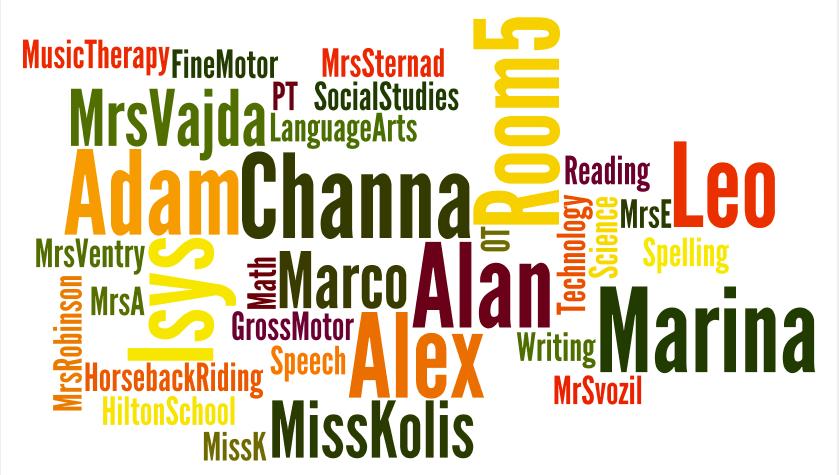
So today, I have just created a word cloud of what I am thinking and feeling in an effort to express myself this May 15th, 2011.

Tuesday, February 1, 2011

Our Love Affair with iPads Continues...

"Shake it like a salt shaker."
We continue to be happy, excited, and amazed at the uses of the iPad in our classroom.  The iPads have not lost their luster for us and we're continuing to find more educational uses every day!

1. We're examining using the iPad as an augmentative communication device.  We're working with our county communication specialist and trialing other devices, but we're particularly in love with the iPad for one student.  And, the student is in love with the iPad as well!

A bit of background- "Student" started trialing the BoardMaker Activity Pad as a communication device.  This is a low tech device that is not commonly used for communication, but it was the best we could do to start.  He has formerly tried the Tech Speak.  Then, we tried the Dynavox Xpress, my personal favorite.  Another student in our class uses this and I am a big fan.  It's easy to program, easy to use, easy to learn, small, light, easy to carry, etc., etc.  Next, we tried the FRC ComLink.  We were happy with this, but it had more disadvantages for our student than the Dynavox Xpress.  Then, while we were waiting to try the iPod Touch from the county, we received a grant from the BBH Schools Foundation for 2 iPads for our classroom (THANK YOU!).   At that time, we decided to have "student" use the iPad and see how it went.

We thought "Proloquo2Go" would be best, but couldn't put out the $189 it cost.  We also discovered that "student" loved to type and is a great speller, so we decided on "Speakit!" instead.  $1.99 or less is right up our alley!

To make a long story short, we went back to the Dynavox Xpress to see if "student" would access the keypad.

Then, after two days with the Dynavox Xpress, "student" used the device to say he felt "mad."  I thought for a minute and asked him "Do you feel mad because I gave you this talker?"  He typed "yes."

I asked "student,"  "Would you be happy if I gave you the iPad back?"  He typed, "happy."

I handed him the iPad.  He turned it on, swiped to unlock it, found the Speakit! App, and typed "i am happy."

Could it be more perfect?  He advocated for himself.  Done.

2. We've started to "microblog" on Twitter.com Students are now typing sentences, with reminders for correct capitalization and punctuation, on twitter!  We attempt to "tweet" regularly, and we enjoy when people tweet us back.  We are also hoping to attract more of our parents to twitter this way as well.  You can follow us @Room5Friends.

3. The iPad is one more tool in our toolbox for SHARING!  Because one "student" often takes one iPad with him to specials classes as his augmentative communication device, we sometimes only have one iPad left in the classroom.  This can only mean one thing- we will need to share!  And what a great tool to learn on!

Here's our action research:  Two students wanting to use the iPad during "choice time," and only one iPad available.  Both students have "engaging in parallel or cooperative play with other students" written in their IEP objectives.  Let's see what they can do.  We placed the iPad in front of them as a type of authentic assessment.  We said, "Now boys, we need to share.  Johnny can play one game, and then pass to Jack for one game."  We proceeded to walk away.

The special education aide and I watched from 4 feet away.  Johnny started with Thomas the Tank Engine Game pack and played one game of Thomas memory.  He slid the iPad to Jack.  Jack played one puzzle on the game pack.  He slid the iPad back to John.  John clicked out and went to the 5 Little Monkeys App.  Both boys delighted in the songs.  When it was over, John slid the iPad back to Jack.  Jack did another Thomas puzzle.  Then, luckily, it was lunch time.  How awesome!

4. We're going to begin reading a chapter book solely on the iPad.  Beezus and Ramona, here we come!  Although we'll supplement this chapter book with many visuals and other activities, we will be reading this book in class on two iPads and a Kindle.  Reading books in more than one medium?  Who would've ever thought that a ten year old with autism would have these opportunities in the year 2011?  Amazing!

5. Motivational Tools.  Honestly, I hope these iPads aren't a phase.  And if they are a phase, they are certainly worthwhile.  Because we are surely getting a TON of learning done while using the iPads as motivational tools.  And, I know some people may say they are expensive motivational tools, but I believe they are worth every penny.

Checking out the iPad while waiting our turn at Therapeutic Horseback Riding
6. The educational apps are limitless.  My student who loves to play "Cookie Doodle" is working on following directions and measuring.  She sees measuring cups, measuring spoons, ingredients, recipes, etc. and must follow directions like "pour the vanilla" and "shake the salt shaker" and "mix the batter."  It's multi-sensory because we do the same thing with the real items in the classroom!  It's a built-in follow up lesson!

7. And did I mention the kids LOVE them?  We love the iPad.  LOVE. And we still play with Play-Doh, Moon Sand, blocks, the sand table, other sensory activities.  We still follow real recipes; we still read real books, complete file folder tasks, and shoebox tasks.  We still swing and play outside.  But now, we have more technology to integrate and use.  We have one more tool in the toolbox. 

And we'll keep sharing.  BECAUSE WE ARE IN LOVE.

Tuesday, December 14, 2010

Apps That are Right for Us!

We've had the iPads for one full week now and have had some time to review some Apps.

Here is the beginning of a list of Apps that are right for us (kids with mild-moderate-intensive special needs, grades k-3):
Cookie Doodle

1. Cookie Doodle- AWESOME!  You choose your cookie and get to "measure" the ingredients, mix, bake, and decorate your own cookies.  Great for following directions, making choices, positional concepts, color identification, shapes, and FUN!  We love this and plan to use it year round!

Word Magic
2. Word Magic- Look at the visual image, and choose the beginning sound from 4 letters. Choose beginning sounds, medial sounds, or ending sounds.  This App keeps track of correct and incorrect responses for easy data collection.
My Very First App

3. My Very First App- This is in the Eric Carle style and uses his illustrations to, first, match pictures with colors and color words.  Next, play a simple game of memory with the same illustrations.  Each illustration is named aloud as it is turned over pairing auditory and visual learning.  Change the memory game from "easy" to "medium" to "hard."
Alphabet Tracing

 4. Alphabet Tracing- For each letter, a train, caterpillar, or animal models the direction in which to write the letter; no pencil or stylus needed.
Telling Time App

5. Telling Time App- Uses a real watch and gives four choices to receptively tell the time.  This could provide an alternative to our traditional file folder tasks.
ABC- Magnetic Alphabet

6. ABC- Magnetic Alphabet- It's a magnet board on the iPad.  Digital letter magnets are movable and allow you to easily make words.

7. Speak it! Text to Speech- We are going to trial this as a communication device for one student who wants to type everything.  Simply type and touch "speak it."  This App has four choices of "voice" and has the ability to save frequently used words, phrases, or sentences. Imagine carrying an iPad or an iPhone rather than a $7400 speech device??? 
Monkey Preschool Lunchbox

8. Monkey Preschool Lunchbox- Great for listening and receptive language!  Each question in the "game" asks for a different concept.  Examples- "Which fruit is different?"  "Point to the food that is a fruit."  "Which word begins with the letter C?"
Thomas Game Pack

9. Thomas Game Pack- Nothing seems to motivate more than Thomas the Tank Engine.  This game pack offers 3 different games- Memory, Puzzles, and Navigating the Train Tracks.  I can't barely pry their fingers away from Thomas.

10. Sentence Builder- This App offers a visual and choices in how to build a sentence that appropriately fits the picture.  Great for receptive language, modeling appropriate parts of speech, and modeling complete sentence structure. 

Saturday, December 4, 2010

I Can, I Learn, iPad!

Today I set out in the hopes of buying two iPads.

These two iPads were to be paid for with grant money generously provided by the BBH Schools Foundation.  This is the 3rd time in 4 years that the Foundation has chosen one of my grants, and I am honored that they agree to support items for my classroom year after year.

So, I set out, Christmas carols blaring.  I heard my favorite Christmas carol by a group called Straight No Chaser and I'm thinking "life couldn't be better."

I get to Crocker Park before the Apple Store opened and decided to do a little Christmas shopping in Barnes & Noble.  And I find an Educator's table where I get free coffee, a free kids' DVD, a free B&N tote, AND 25% off my purchases! 

Life is good!

And then I realized it.

I forgot my credit card. I had little cash.

Little cash = no iPads.

OOOOOOOOooooooh nooooooooOOOOOOOO.

Before I start to cry, I think to myself, "wait, I can solve this problem."  Where's the nearest bank?

I go to the bank. I take out the cash because, after all, I had just deposited the check from the Foundation.

And I get to the Apple Store just in time to have a nice, cute saleman named Alan helping me with my purchase.  I tell him the deal, ask lots of questions, and get ready to buy!  I feel like bells and whistles should be going off with this purchase.

And then, the second wrench in my day.

As I give him the paper for my tax exemption, he says he has to go ask his manager a question.  I play around with the display as I wait...

He comes back.

"Do you have your teaching license with you, by chance?" he says.

"Um, no.  That's not just something you carry around. Why?" I respond.

"How were you planning to pay for this?" he asks.

"Cash."

"We would need your teaching license to give you the tax exemption," he says. "See, we can't prove that you are buying this for school and not for your personal use, so we would need to see your teaching license number."

"I have a union card. Can that count?"

"Can you just run home and get it?" he says.

Um, no dude, I think, I just drove 25 minutes to get here.  And I'm lazy when it comes to anything but doing my work for kids.  Seriously, I'm lazy.

So, to make an even longer story slightly shorter, I PAID FOR THE TAX ON TWO IPADS! 

Then I also paid for a cleaner and a case.  But only ONE case because I did not have enough cash for two of them (because I forgot my credit card, remember?).

So, what started as an entirely blessed and amazing day turned into something that gave me an 8 hour headache...


But, I got to spend the rest of tonight uninstalling and re-installing my iTunes, then searching Apps, then buying Apps, and then syncing iPads. 

And now I cannot wait to share the iPads!  I cannot wait to share with my students and my aides!

And I plan to share the rest of the process here as well.

I am so blessed; bad day or not. :)

Sunday, November 14, 2010

5 Reasons I Love This Job THIS WEEK.

It's no secret, I had a rough week.  The special ed. coordinator found me in the hallway and gave me a hug (for goodness sake!).

But, inspired by a great blog, What Ed Said and the blogger's series of 10 Things, I'd like to make a list of:

5 Reasons I Love My Job as a Special Educator THIS WEEK!

1. Music Therapy.  This week, I plopped myself down in our Music Therapy session for 30 minutes, I saw 7 little bodies completely engaged, following directions, and excited about what would come next.  It's amazing what a little music can do.


2. The unfiltered voices of my students.  The fact that my students say aloud what the rest of the world is thinking is something that we work to make socially appropriate.  But, there are so many times that the unfiltered comments of my students and my strange sense of humor go hand in hand... like on Tuesday when I was prompting a student to fill in a graphic organizer about this bird he had made.

"What do you want to name him?" I said.

"Pee pee" my student answered.

Yep, this student would.

And while I politely explained to him that this bird would be hanging in the hallway near his homeroom and although it might seem really funny to name him Pee Pee, his homeroom teacher AND his mother might not find it so funny.

And then I turned my head and laughed. Hard. Because a bird named Pee pee?  That's funny.

3.  This week, I taught 3 third graders, 1 second grader, and a Kindergartener with autism, cognitive disabilities, and other assorted genetic disorders how to use the website Wordle.  I thought this would be a fun way to play with words and help us make them more visual.  I used some resources like 46 (now 48) Interesting Ways to Use Wordle in Your Classroom and away we went.  We made locker tags and spelling word clouds and fun posters for our 21st Century learners bulletin board and, Who was the Most Engaged?  My non-verbal Kindergartener with autism.  Coolest.  Kid.  Ever.

4.  On Friday when it seemed there was a gray cloud hanging over Hilton School (although the sun was shining brightly on the sunny West Side), my principal walked into my classroom around 2pm.

This is not uncommon as he does walk throughs regularly and sometimes comes in to discuss things with me during the day.  He looked slightly disheveled as I asked "What's up?"  (Yes, we are pretty comfortable in Room 5 with our regular visitors.)

"Can I please work with one of your students Miss Kolis?"

Um, okay.

Turns out, boss was having a hard day too.  And, where did he come for happiness?  ROOM 5!!!  Our Room!  Our room inspires happiness!

And as I sent him to the reading carpet with a third grader, I kept an ear out to see how it was going.  Every other page of that Arthur book, my little sweetie looked up at him and said "You da best pwincipal." 

Needless to say, he left with a smile.

And last, but certainly NOT least...

5.  While making a Wordle about a third grade student, she needed some prompts to answer questions about herself so that we could type the words in.  I would start the sentence and she would finish it.  "Susie likes to eat..."   "... cupcakes."  "Susie likes to eat cupcakes and... "  "...cookies."  "Susie likes to read about..."  "... Dora."  "Susie lives in..."  "... Broadview Heights."  "Susie's best friend is... "  "... Miss Kolis."

Wait.  Really?  That was so awesome!  She said I was her best friend.  That was the cutest thing I have ever heard!  Here's my third grader who I push every single day to work, work, work.  Math, reading, writing, spelling, appropriate social skills, and no you may not sit on my lap anymore because when you go to 4th grade, they will think I am crazy for that.... and you said I'm your best friend.  I.  love.  you.


I love this job.

Friday, August 6, 2010

Should an Elementary School have a Facebook Page?

Should an Elementary School have a Facebook Page?

This is a question I asked myself and quickly answered "YES!  Why wouldn't we?"

This is a question I asked my principal, and he answered "Let me think about it."

I can certainly understand that there is much to think about here.  We live in a relatively conservative suburb where the community is growing in its dissent for what we do as educators in a time of economic instability.  Could this social media tool be used against us in ANY way?

My principal is certainly PRO Facebook for the school, yet he said that he needs to "think about any possible ramifications and then brainstorm solutions to any problems BEFORE we go ahead with the page creation."

Note: The Facebook page in question would be for the use of the parents, grandparents, teachers, staff, and community.  Our students are currently below the age limit restriction set by Facebook.

I'd like to help with a list of PROs and CONs (with help from members of my PLN- @Grade1, @tgwynn, @TJGoertz, @budtheteacher- Thank you very much!).


Why an Elementary School SHOULD Have a Facebook Page:

PROs: 

1. Better Communication.  Yes, we have a website, but a Facebook page would be another tool to sharing our resources with our parents, grandparents, teachers, staff, supporters, and community.  This blog post from "The Pursuit of Technology Integration Happiness" certainly supports this improvement in communication.

2.  Why Facebook?  Because many people are already on Facebook, it makes this tool our most effective option.  Why click onto yet another Ning or website when you can click right from your FB page to check the date and time of your child's Meet the Teacher night?

3.  Engage with parents, families, and the community- Check out this blog titled "Parents, Social Media, and School Messaging."

4.  Here's a short list of some other elementary schools that I've found on Facebook:

Samson Elementary School in Samson, Alabama. (Most recent posts include supply lists for next school year, photos from field day from June, notes of Thanks to organizations)

Hilton Head International Baccalaureate Elementary on Hilton Head Island, South Carolina (Most recent posts include notes to encourage summer reading, pictures from end of school year, reminders for events)

Eastside Elementary School in Dalton, Georgia (most recent posts include congrats to a teacher on a new baby, postings about the new common core standards, posted articles about technology in education, photos from end of school year)

Eastern Elementary School in Greentown, Indiana (most recent posts include news about the upcoming school year, summer cam reminders, and photos)

J.P. Miller Elementary in Bradenton, FL.

St. Linus Catholic Elementary School in Norwalk, CA

Bluffton Elementary School in Muskegon, MI

Dodge Elementary School in Mobile, AL

Floranada Elementary School in Ft. Lauderdale, FL

Arapahoe Elementary School in Arapahoe, NC

West Hartsville Elementary School in Hartsville, SC

Cummings Elementary School in Grand Rapids, MI

Oakland Heights Elementary School in Russelville, AL

Wacousta Elementary School in Eagle, MI

Legacy Elementary School in Bossier City, LA

Fern Persons Elementary in Olivet, MI

Alexander Hamilton Elementary School in Chicago, IL

I only went through the search results from 1-60 of over 500..

6. It's 2010 and we are going to be promoting 21st Century Skills and Web 2.0 skills in the classroom.  Shouldn't we lead with our walk instead of just with the talk?

CONs (and solutions to the problems):

1. If we don't make our own page and take control, a student may take it upon themselves to create a page. (Solution: We take the control as proactively as possibly.)

2.  Students may be more attracted to Facebook if they know the school has a page.  (Solution: Teach students to properly use social media.  Use as a learning tool.)

3.  We cannot moderate Facebook from school because our computers have blocked Facebook. (Solution: Moderator can moderate from mobile phone during planning and lunch times.)

4. Facebook is blocked at school.  Why would we use it as a tool?  (Solution: Many social media tools are blocked in our school system because of the Acceptable User Policy for STUDENTS.  This Facebook page would be maintained for the parents of elementary school students to make, maintain, and improve connections.)

5. Some people might not want photos of their child posted on the Facebook page.  (Solution: On the Photo Permission Form that goes home in the beginning of the school year about the yearbook, we could add one sentence giving permission for NAMELESS photos to appear on Facebook.  Parents could sign off -or not- there.)

6.  Couldn't you use a Ning or Grou.ps instead to ensure safety of information? (Answer:  Sure, but then we'd be missing the point that MANY people are on Facebook making our PUBLIC information that much more accessible. We'd have to invite and allow members to join which would require much more moderation than time allows.)

7.  It takes TIME to moderate a Facebook page or Ning or Grou.ps or any other social media tool.  Who is going to take the time?  (Solution:  Luckily, you have a volunteer.  Otherwise, we could ask for other volunteers.  We could also ask for more ideas of things to place on the FB page, although we want to keep the information factual.)

8. Someone could be offended by some content on the page. (Solution: The moderator can remove the content.  We're not trying to change the world here.  We're trying to make our communication with parents and the community more efficient and friendly.)

9.  Parents or Students could see that Teachers or other staff members have personal Facebook accounts.  Parents or Students could try to "friend" Teachers or other staff members.  (Solution: If Teachers do not feel comfortable "friending" Parents or Students, they can simply click "Ignore" or explain that they do not "friend" Parents or Students on their personal FB account.  If a Teacher or staff member needed more guidance in this area, I might point them to this blog post "Social Networking Guidelines for School Employees.")

10.  Some people don't have Facebook.  (Solution:  We still have a school website.  We still have Hilton Hi-Lights.  We still have a PSO folder going home weekly.  There are plenty of other sources of information.)

11.  Facebook has a 13 year old age limit.  (Solution:  Our target audience for this page is parents, grandparents, teachers, staff members, and the community, NOT the students.)

Please leave your comments and opinions on this topic to help us decide what to do! :)